01Scheduled day
Open the plan
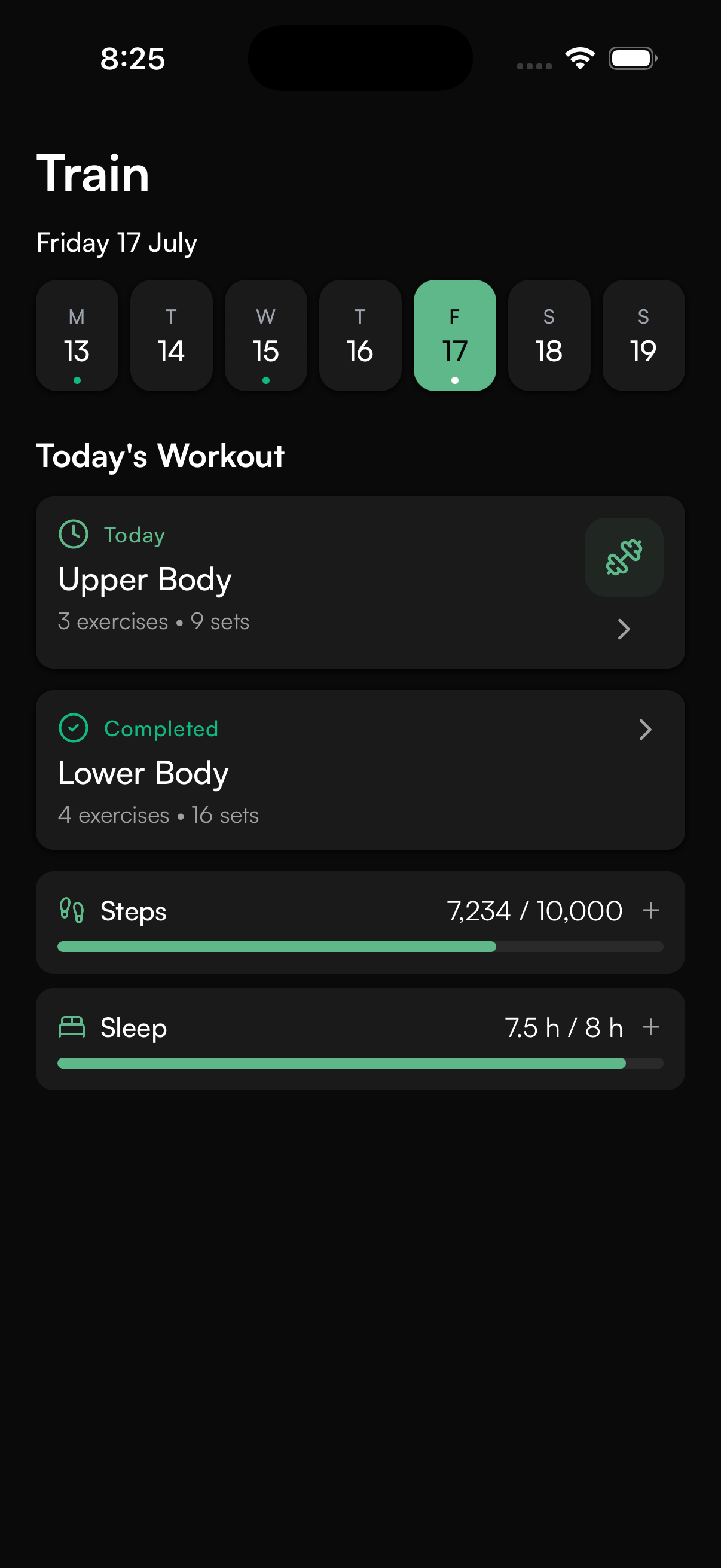
See the scheduled workout and nutrition plan. If notifications are enabled and the schedule qualifies, a reminder can help the client arrive prepared.
The client experience
Your clients should not need one app for workouts, another for food and WhatsApp for the actual coaching. CoachOS keeps the plan, the conversation and their progress together.
Track your journey over time
For invited clients
CoachOS is the client app for a coaching relationship that has already been set up. The invited email connects the right client to the right coach before any plan is shown.


Both links resolve to CoachOS Ltd’s current client-app listings. Device, OS, country and store-account eligibility still apply.
CoachOS access starts with a coaching account. Keep the invitation and use the exact email address your coach used for you.
Choose the verified App Store or Google Play listing for your device. Store availability still depends on device, operating system, country and account eligibility.
Enter the invited email, confirm the coach shown, create a password if the account is new and complete the guided profile, schedule and intake steps that apply.
Training, nutrition and the coaching conversation appear according to what the coach has assigned. Optional reminders and connections can be skipped or managed later.
Reminder boundary
Workout and coach-message notifications require client permission and an active registered device. Schedule reminders also depend on an eligible workout day and timing; a specific workout time can support a pre-workout reminder. Calendar sync and health connections are separate optional choices. Exact delivery is not guaranteed under every device or network condition.
The weekly rhythm
After onboarding, CoachOS gives clients one familiar place to understand the next session, record the work, stay close to their coach and carry context into the following week.
See the scheduled workout and nutrition plan. If notifications are enabled and the schedule qualifies, a reminder can help the client arrive prepared.
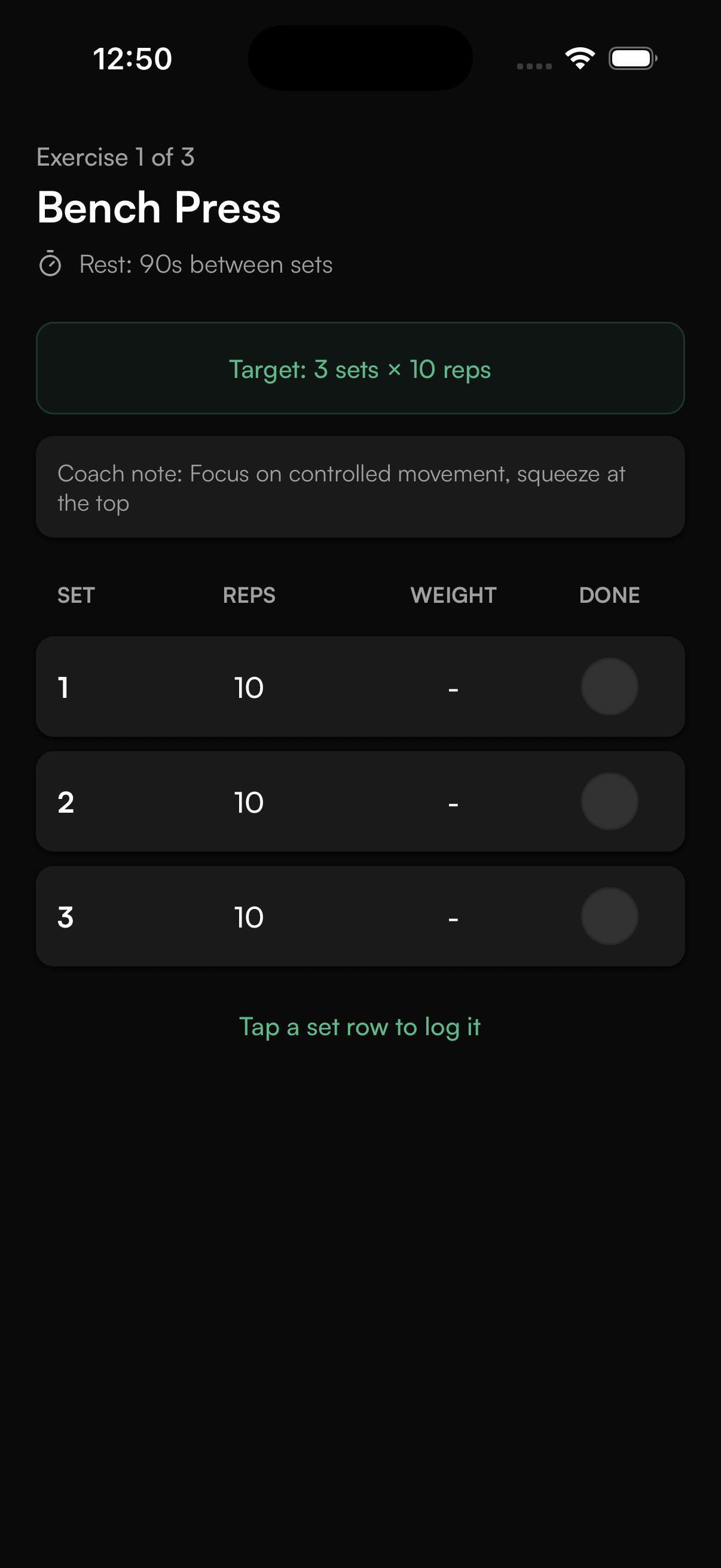
Follow exercises, record sets and reps, use rest guidance and keep moving through the workout.
Send a message, voice note or image without taking the coaching conversation into another app.
Complete the configured check-in, review goals and trends, then return to the next assigned week without starting again.
Training that is easy to follow
Exercises, sets, reps and rest guidance live inside a focused training flow. Clients record the work as they go, so the coach sees what happened rather than chasing an update later.
Nutrition that fits the coaching method
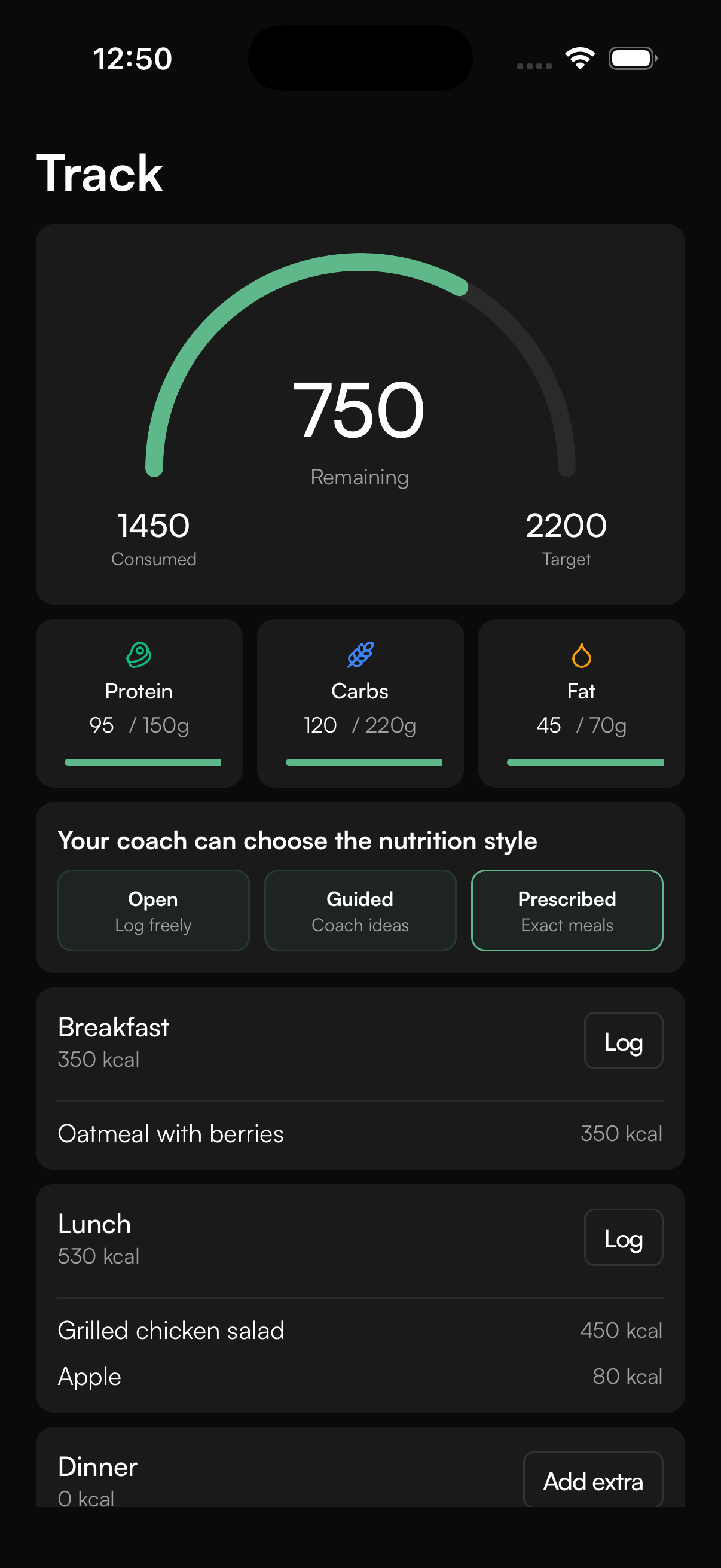
Clients can follow coach-prescribed meals and recipes or log more flexibly, depending on the approach chosen for them. The app keeps the experience simple while the coach retains useful context.
See the planned items and mark the right work complete.
Log food and meals with room to make everyday choices.
The You page
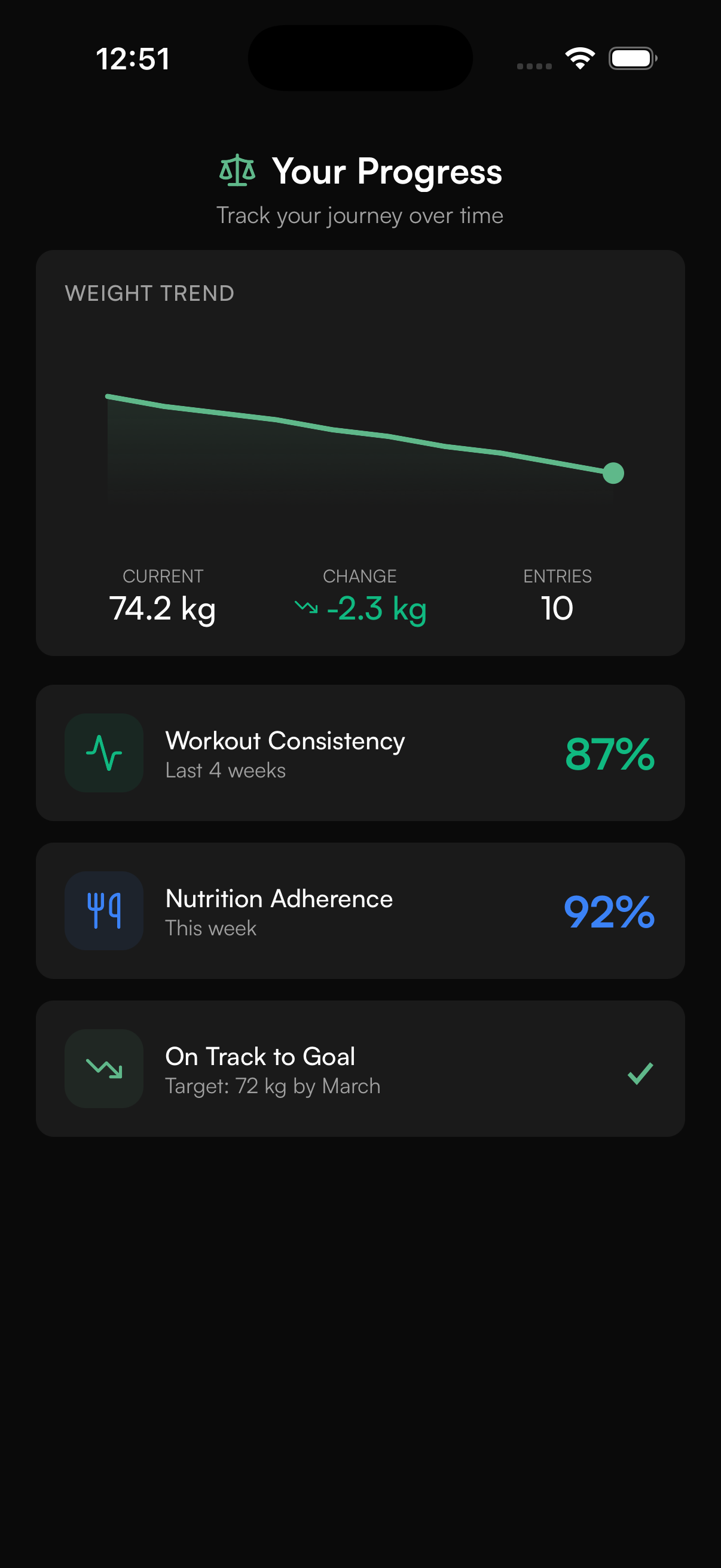
Bring goals, check-ins, measurements, progress photos and trends into one personal view. Clients see what is changing and coaches can review it alongside the plan.
Connected health context
Apple Health and Health Connect can add supported device metrics such as steps. Approved WHOOP test members can connect recovery, strain, HRV and sleep while general production access remains under provider review. Client-controlled cycle sharing can add context when the client chooses to provide it.
These signals support a coaching conversation. CoachOS does not treat a single score as a medical diagnosis or an automatic decision.

Works around real life
CoachOS is built for the moments when the gym Wi-Fi is not. Offline-first logging lets the client keep moving, with automatic sync when the app reconnects.
Questions, answered
The official CoachOS listings are live on Apple’s App Store and Google Play. The links were checked on 19 July 2026; installation still depends on the client’s device, operating system, country and store eligibility.
Use the same email address your coach used for your CoachOS account. The app uses it to find your invitation and confirm the coach you are joining.
Check the spelling and make sure the email matches the address your coach used. If it still is not found, ask your coach to confirm the account email or finish setting up access.
No. Notification permission, calendar sync and supported health connections are optional. Clients can skip them during setup and manage available settings later; reminder delivery also depends on an eligible schedule, an active device and the relevant permissions.
Clients can follow workouts, log sets and reps, use their nutrition plan, view recipes, complete check-ins, track progress, message their coach and connect supported health data.
With Smart Rest Days enabled, the scheduled workout days remain fixed while the missed session moves to the next workout day. This keeps the programmed sequence intact.
Apple Health on iOS and Health Connect on Android are available with client-controlled permissions. WHOOP can provide recovery, strain, HRV and sleep context for approved test members while general production access remains under provider review.
Yes. Health connections and sensitive information such as cycle data are client controlled and depend on the permissions the client chooses to grant.
CoachOS is designed with offline-first logging and automatic sync, helping clients keep recording their work when the connection is unreliable.
A better client experience
Training, nutrition, progress, health context and communication stay connected to the coach who designed the plan.